I’m new to librepcb. Got it installed, downloaded libraries and managed to get a project started and a few things added to the schematic out of the read only libraries. Now I need to create a 16 pin IC that’s not in the libraries. Copied a generic 8 pin ic into My_library, used ‘find in file manager’ to locate the directory for the symbol and copied that directory into the symbol directory as “generic 16 pin ic”. Edited the .lp file so that “librepcb_symbol” and “name” were the same name as the directory name. Re scanned the libraries and went looking for my new symbol in “My_lib..” so I could edit it into 16 pins. It is not there. Closed and restarted Librepcb, still not there. What went wrong?
Is there a better way to do this because I’m going to have to do pretty much the same thing to create the symbol for my specific IC?
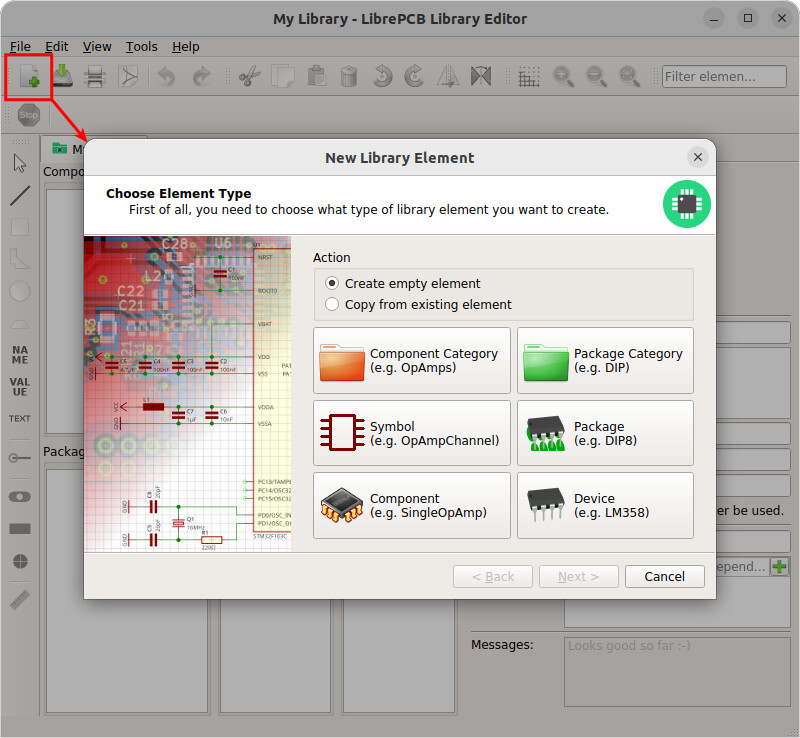
Yep, that was simple. I was cheating and right clicking in the box for symbol and that took me directly to entering data in “category” so there was never the option for new or copy.
This feature has been modified in 2.0.1 due to the new user interface. To copy from an existing element in your local library, select the element to copy and then choose “Duplicate” at the bottom:
For copying an element from another library, unfortunately this is not directly supported anymore in v2.0.1. It will be re-added in an upcoming release. In the mean time, you can use this workaround:
In the library you want to copy from (e.g. LibrePCB Base), select the library element and choose “Copy to Other Library” to copy it into your own library.
In your own library, now use the “Duplicate” feature. IMPORTANT: Do not modify the element you just copied from the other library, you have to duplicate it first!
IMPORTANT: Delete the element you copied from the other library into yours, as it is not needed anymore.
I’m sorry about this inconvenience, but we will really improve it soon